Bloxd.io is a multiplayer voxel sandbox game free to play online, originally inspired by Minecraft. The game features a variety of different sub-games, better known as game modes, each having a unique twist on the game's core. Players can build, parkour, survive, fight, explore worlds, and compete against others in many different styles of gameplay. The game is browser-based, making it easy to play without downloading anything, and it has built a large active community across both the game and its Discord server.
Important Note
This isn't for in-game related help.
This is for help with appeals, reports, and other Discord-related topics.
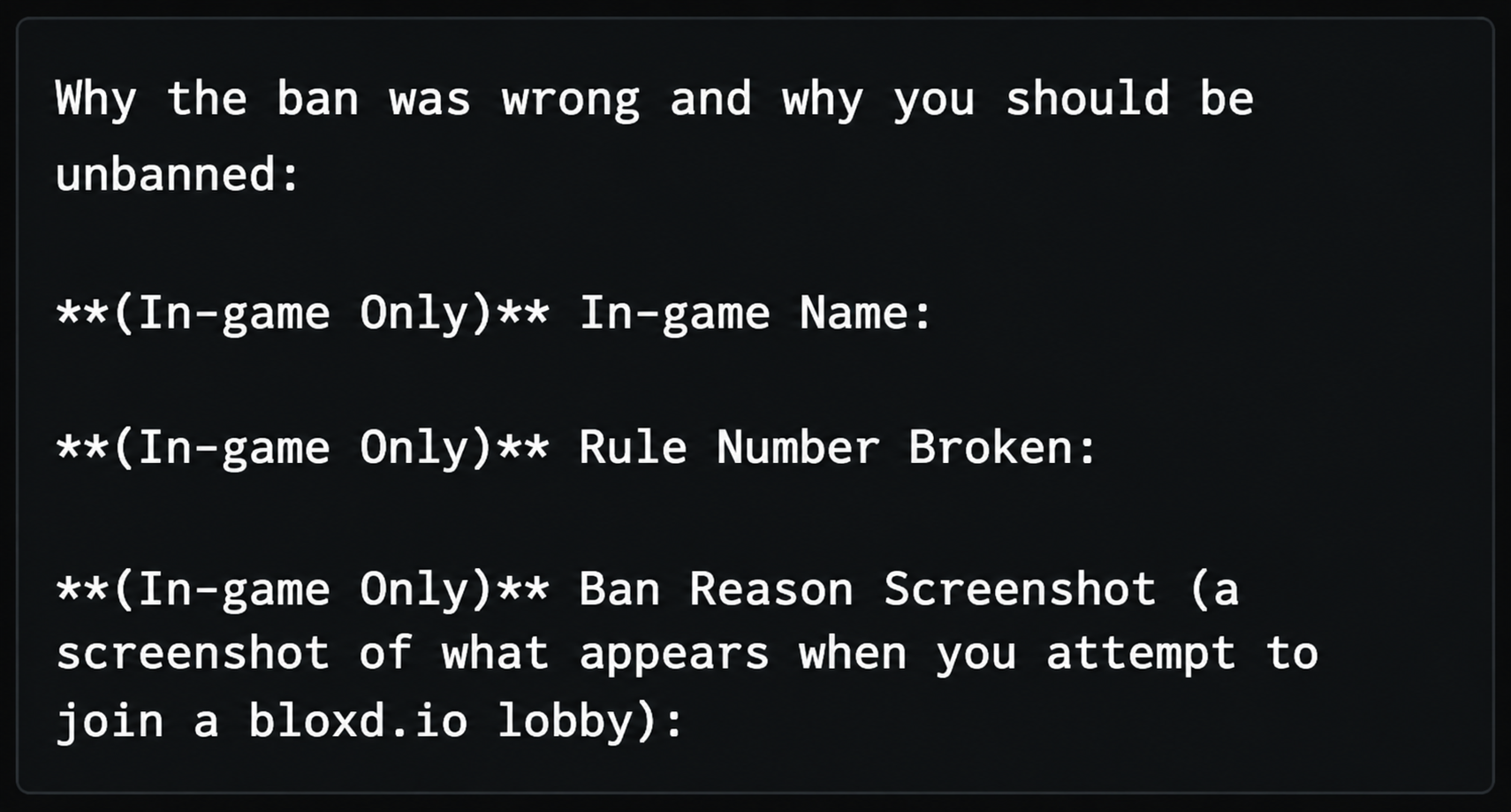
Appeals are only for permanent bans or mutes. 24/48-hour or other non-permanent bans or mutes cannot be appealed and your appeal will be rejected. To appeal, simply join the appeals Discord server and go to the create-appeal channel.
To create an appeal, react/click on the Book emoji once and you will obtain the Read Thonk role, which will allow you to create an appeal. Remember, it will automatically remove your reaction after clicking it once, clicking it again will remove the Read Thonk role from you.
Afterwards, click on the "Open a ticket to appeal a Bloxd or Discord ban" button to open your ticket. Inside the ticket, explain yourself using the exact template given below.
Remember, the staff handle many appeals at once, so it is normal for your appeal to take a long time before being reviewed.
Reports are for in-game Bloxd purposes. Please note that these tickets are only used for reports containing hacking, auto-clicking, or inappropriate pixel art/board messages/code blocks. Use the in-game report system for other reports. To report, simply join the Bloxd Discord server and go to the report-rule-breaking channel. The same procedure is followed for Discord reports.
Please provide a screenshot for chat content or a video for hacking. If it's a Discord report, please forward or provide a link to the message. Only report people based on your own screenshots, evidence, etc.
If you're unable to send a file due to the Discord file size limit, you can use Google Drive, WeTransfer, TransferNow, or Smash.
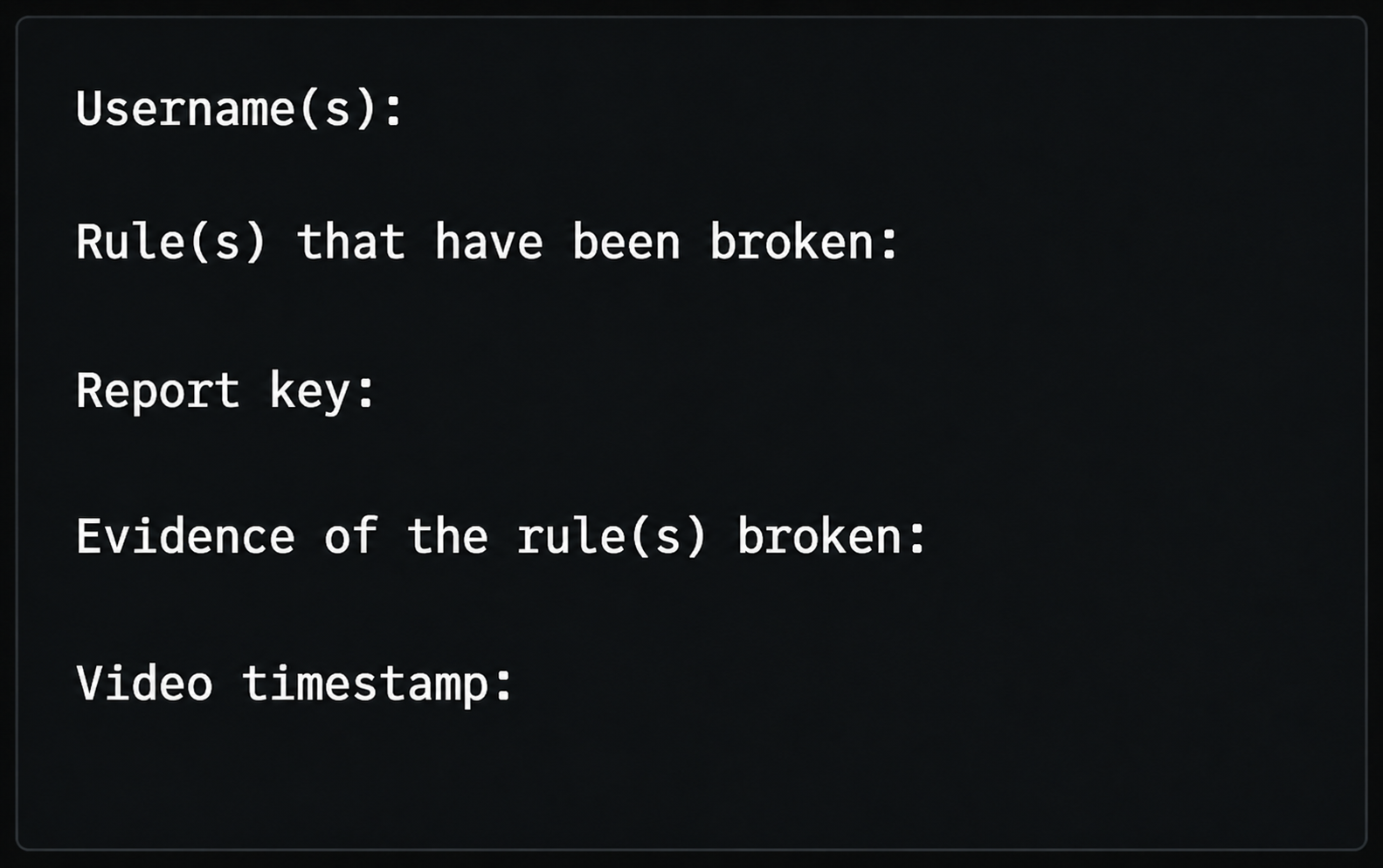
Hacking/auto-clicking reports require a report key and timestamp in the video.
To obtain a report key, click on the player's name on the lobby leaderboard or type "/report ImChuck" for example.
Inappropriate pixel art/board reports require coordinates and the lobby name.
To create a report, react/click on the Book emoji once to obtain the Read Thonk role, which will allow you to create a report. Remember, it will automatically remove your reaction after clicking it once — clicking it again will remove the Read Thonk role from you.
Afterwards, click on the "Open a ticket to report rule breaking in Bloxd" button to open your ticket. Inside the ticket, explain yourself using the exact template given below.
Remember, the staff handle many reports at once, so it is normal for your report to take a long time before being reviewed.